LuxLibre
LuxLibre › Lights › EDCO Mini › Drawings and CAD
EDCO Mini: drawings and CAD
The files of the EDCO Mini housing, made from the design scripts in ../tools/ (nothing is drawn by hand). STEP files open in FreeCAD, Fusion, Onshape or any CAD program; DXF in LibreCAD, QCAD or any CAD program; PDF and PNG are for reading. The design page explains every part: EDCO Mini.
Drawings
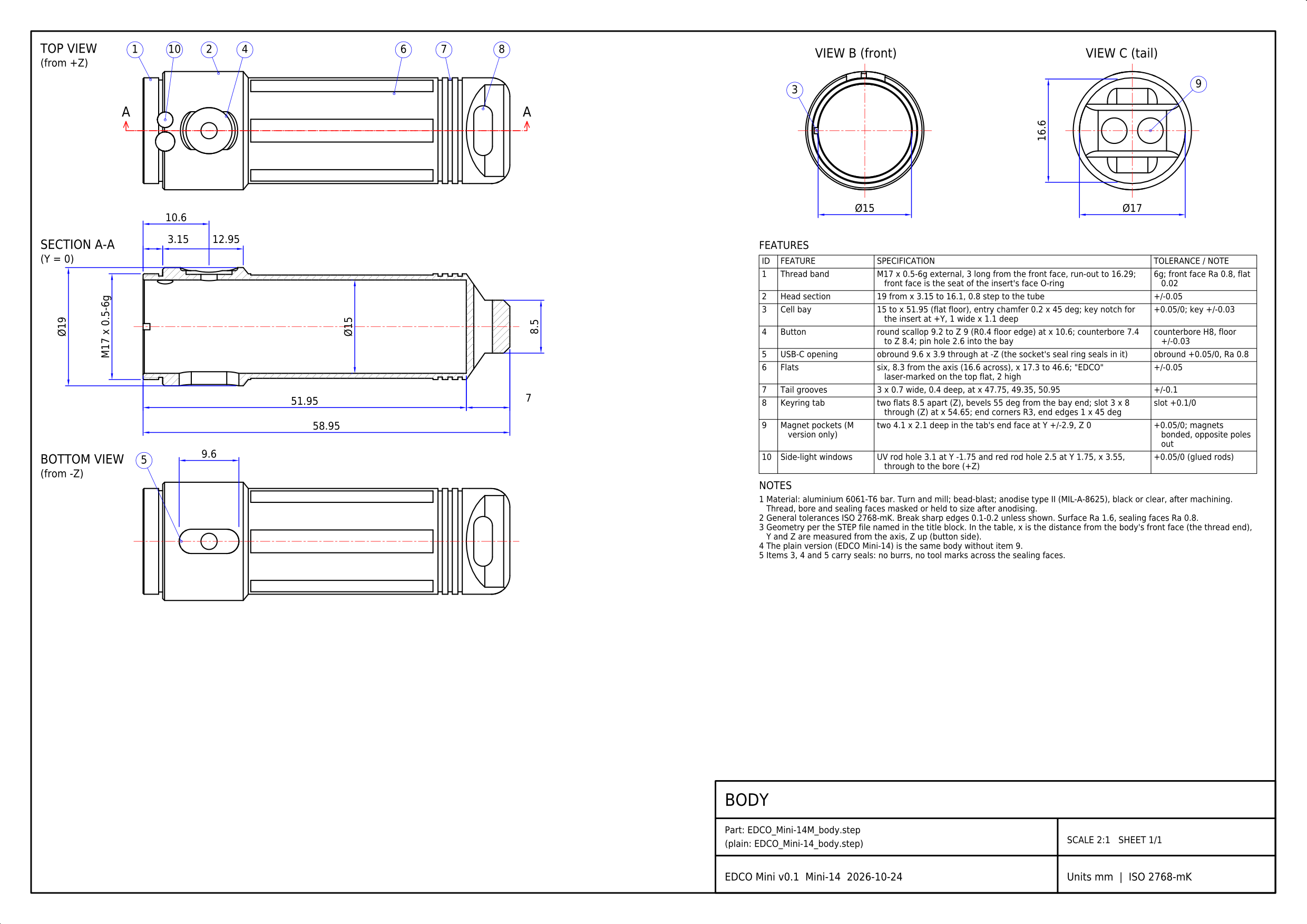
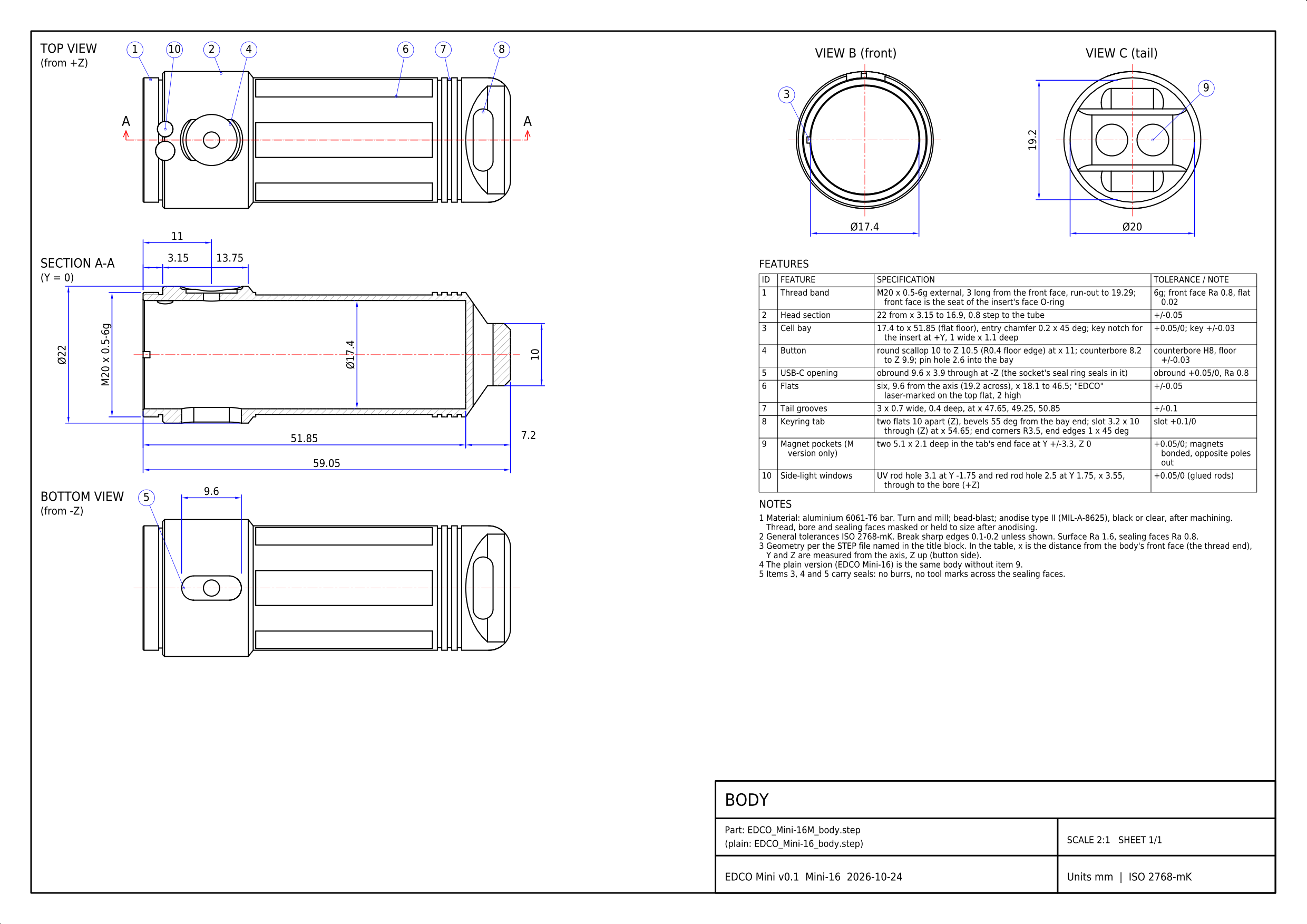
The M body is drawn: the plain body is the same without the two magnet pockets (item 9 on the sheet).
EDCO Mini 14 body drawing, A3 at 2:1 (PDF, DXF, PNG)
EDCO Mini 16 body drawing, A3 at 2:1 (PDF, DXF, PNG)
3D models
| File | What it is |
|---|---|
EDCO_Mini-14M_body (STEP) |
Mini-14: body; M version (with the magnet pockets) |
EDCO_Mini-14M_v0.1_assembly (STEP) |
Mini-14: every part in place, with stand-ins for the boards and the socket; M version (with the magnet pockets) |
EDCO_Mini-14_bezel (STEP) |
Mini-14: bezel (screws onto the body’s thread) |
EDCO_Mini-14_body (STEP) |
Mini-14: body |
EDCO_Mini-14_insert (STEP) |
Mini-14: head insert (holds the LED board and the optic) |
EDCO_Mini-14_v0.1_assembly (STEP) |
Mini-14: every part in place, with stand-ins for the boards and the socket |
EDCO_Mini-16M_body (STEP) |
Mini-16: body; M version (with the magnet pockets) |
EDCO_Mini-16M_v0.1_assembly (STEP) |
Mini-16: every part in place, with stand-ins for the boards and the socket; M version (with the magnet pockets) |
EDCO_Mini-16_bezel (STEP) |
Mini-16: bezel (screws onto the body’s thread) |
EDCO_Mini-16_body (STEP) |
Mini-16: body |
EDCO_Mini-16_insert (STEP) |
Mini-16: head insert (holds the LED board and the optic) |
EDCO_Mini-16_v0.1_assembly (STEP) |
Mini-16: every part in place, with stand-ins for the boards and the socket |
Data
| File | What it is |
|---|---|
edco_mini_interface.json |
sizes, walls, fits, masses and the interference check (written by the CAD script, read by the checks) |
The drawings are made by hardware/tools/edco_drawings.py and checked against the solids (report).